Calligraphy Letter Spacing Calculator & Cursive Text Spacing
Spacing can turn the same phrase from compact lettering into an airy display line. With cursive fonts, that change also affects how strokes connect and how words are recognized. This letter spacing calculator shows the relationship between a numeric tracking value and the resulting measured text. Enter one line, choose a font, and compare its original width with your adjusted version. The target-width control proposes a practical tracking estimate, then verifies that proposal using the loaded font. Before-and-after previews help you decide whether the measured solution also looks right for the words you are using.
Adjust Spacing Between Cursive Letters
Move the tracking slider gently and inspect the joins around narrow letters, repeated loops, and capital transitions. A small increase can relieve a crowded pair, while a large increase may expose disconnected strokes that were intended to touch. Negative tracking can bring letters closer but may cause dark overlaps. The current-width result reflects the whole shaped line, including overhangs, rather than treating every character as a separate box. Tight, normal, and wide options provide quick comparisons and apply their actual values when clicked. These are starting points for evaluation; none is a universal ideal for calligraphy spacing or a replacement for checking the final phrase.
Calculate Letter Spacing in Pixels
CSS letter spacing uses a length added by the browser during text layout. A rough target estimate divides the difference between desired and base width by the number of spaces between text units. That estimate alone can be misleading when ligatures, kerning, and connected glyphs change. This calculator segments the input into Unicode grapheme clusters, then repeatedly measures the entire line at candidate tracking values. The displayed recommendation includes the measured width and its distance from your target. Small remaining differences can occur because the recommendation is rounded and font metrics have finite precision. A single grapheme has no between-letter opportunity, so it does not receive a target recommendation.
Handwriting Letter Spacing & Script Font Spacing
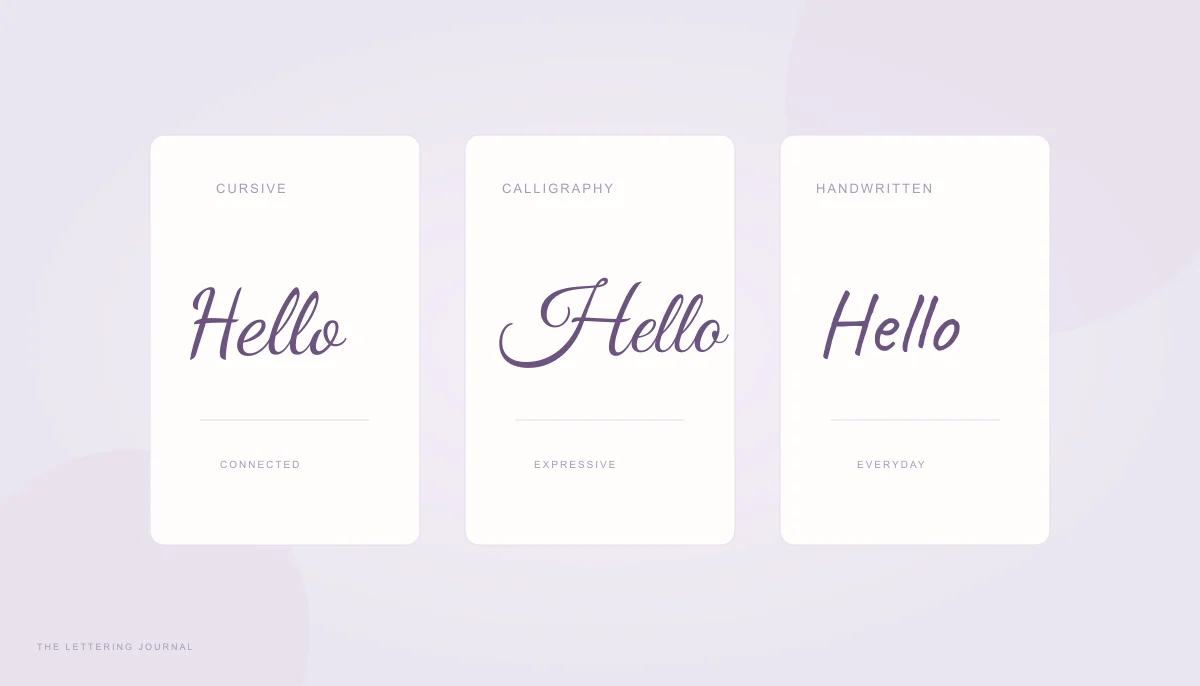
Handwriting letter spacing influences rhythm as much as geometry. Open spaces between words can make an invitation calm, but open spaces within every joined letter may make the same typeface look fragmented. Use letter spacing and word spacing as separate decisions. The base-width comparison removes added tracking while retaining your current word spacing, so you can isolate what tracking contributes. If you also change word spacing, the base measurement changes accordingly. Compare families through the guide to cursive, calligraphy, and script fonts when you need a naturally wider style rather than forcing a tightly connected design to stretch.
Tight vs Wide Spacing in Calligraphy
Tight spacing can suit a short monogram or a compact display word, provided the letters remain distinguishable. Wide spacing can give separate handwritten forms more breathing room, especially when their exits do not depend on the next entry stroke. Look for collisions around crossbars, closed loops, and descenders. Also inspect spaces beside punctuation, because a comma or apostrophe may become visually detached. The three comparison previews use the same wording, font size, and common horizontal scale. This makes their proportions easier to compare than independent thumbnails enlarged to fill identical boxes. Click a comparison to apply it and inspect the resulting dimensions in the main output.
How Letter Spacing Changes Cursive Writing
Script font spacing is not a purely linear visual effect. A font may use a ligature for one pair and separate glyphs for another; layout engines can alter those choices when tracking is applied. Different browsers may produce slightly different shapes or measurements. Positive tracking can interrupt a connection even when the measured width reaches your goal exactly. If a target requires an extreme value, consider changing the font or size first. The Cursive Font Size Calculator fits a phrase to an area without asking tracking to solve every dimension. Preserve readable letter relationships, then use spacing for smaller finishing adjustments.
How to Use the Online Letter Spacing Calculator
Start with a single-line name, heading, or invitation phrase. Choose a font and a size representative of the final design, then leave tracking and word spacing at zero to establish a baseline. Add a target width only when that width serves a real layout need. The text spacing calculator updates as you edit, so you can compare the geometric and visual results without submitting a form. Reset spacing returns both spacing values to zero while retaining the current words and font. Reset settings restores the complete starting example when you want to begin another experiment.
Enter Your Text and Choose a Calligraphy Font
Use the final spelling and punctuation, especially for personal names. Accented letters can be represented by combining sequences, and emoji may contain several Unicode code points. Grapheme segmentation keeps these user-perceived characters together during the initial estimate. It does not guarantee that the selected font includes every symbol. Inspect unexpected changes in style, which may indicate a fallback glyph. This tool requires one explicit line so that the target width and spacing comparison remain unambiguous. For a wrapped quotation or several intentional lines, use the font-size tool instead. You can explore more styles in the Cursive Handwriting Font Generator before making your spacing comparison.
Adjust Spacing and Copy CSS Values
Use the slider for visual exploration and the number field for a deliberate value. Word spacing is adjusted independently and is expressed in pixels as well. Copy letter-spacing and Copy word-spacing produce the corresponding CSS declarations. Applying them elsewhere also requires the same font family, weight, font size, and text. A different font file can change joins and width despite identical CSS values. Clipboard access depends on the browser's permissions; if copying is blocked, the status message displays the value for manual selection. The downloadable comparison image includes the baseline, adjusted result, and three sample spacing choices at a fresh raster resolution.
Best Letter Spacing for Calligraphy and Graphic Design
The best cursive letter spacing supports a word's identity and the design around it. A target can be useful for balancing two invitation lines, but equal width does not always mean equal visual weight. Short words stretched widely can look less natural than longer words at modest tracking. Try a narrower typeface or a smaller size when the requested width demands extreme compression. The calculator limits recommendations to a practical size-dependent range and reports when a target lies beyond it. The closest allowed value remains an estimate for you to review, not a claim that every target can be achieved gracefully.
Letter Spacing for Logos and Invitations
For a logo, compare spacing at the smallest size where the artwork will be used. A collision that looks decorative when enlarged may become a dark patch in a small mark. For an invitation, check the balance between a large name and nearby supporting text. Keep tracking changes consistent within a phrase unless you are editing individual glyphs in a dedicated design application. Use the Text Width Calculator to inspect the final design's dimensions after choosing its spacing. If you are preparing physical cards, confirm the page size and export resolution separately; a pleasing browser preview alone does not specify how large an image will print.
Improving Readability of Cursive Fonts
Read the phrase from a normal viewing distance and ask someone unfamiliar with it to read it too. Familiar words can hide ambiguous joins because you already know what they say. Check whether repeated arches resemble different letters and whether a capital obscures the next character. More spacing is not always the solution: simplifying the face or reducing decorative flourishes may preserve the intended flow more effectively. For skin-bound lettering, the cursive tattoo font guide explains why a font preview needs professional interpretation. Treat tracking as one part of a complete design decision that also includes size, contrast, context, and the medium receiving the lettering.