Text Width Calculator & Cursive Text Measurement Online
A name that looks delicate in a preview can occupy surprising space in a finished design. Looped capitals, sweeping endings, and low descenders all affect its boundaries. This text width calculator measures your actual words in the selected local font before you commit to a layout. It is useful when a label, signature block, or heading has a known width. Start with the wording you intend to use, including punctuation and spaces. The results describe that particular arrangement, rather than an average alphabet or an imagined number of letters per inch.
How to Measure Text Width in Pixels
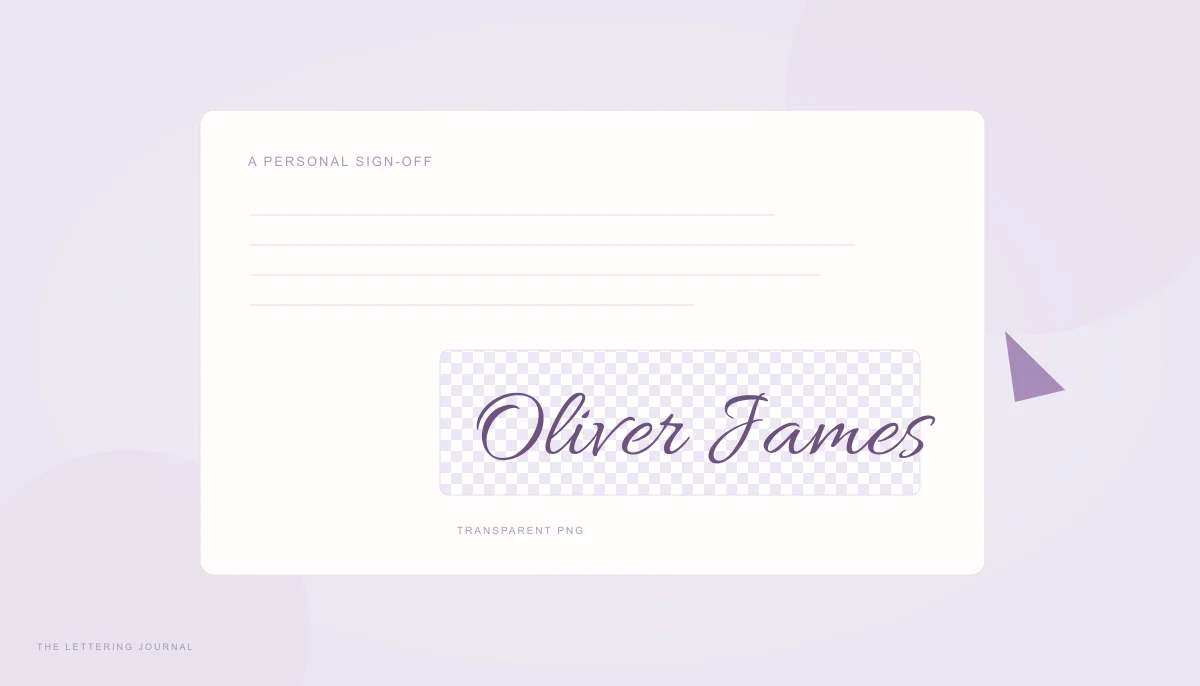
Enter your text, choose a font, and set a pixel size. The browser loads the selected font file, then uses Canvas text metrics to calculate text width for each complete line. The displayed width includes both the advance distance and any visible strokes extending beyond it. For a multiline design, the widest line sets the overall width. Height covers the drawn ascenders and descenders across the baseline arrangement. These are artwork bounds, so they may differ from the height of a CSS paragraph element. The transparent PNG adds sixteen pixels of safety padding on every side; its image dimensions are therefore larger than the lettering measurements.
Calculate Cursive Handwriting Width Accurately
Measuring whole lines matters because neighboring letters can influence one another. Font shaping, kerning, and connected strokes make cursive text width more complicated than counting characters. This handwriting measurement keeps native browser shaping in the calculation and waits for the chosen font to load. If loading fails, the tool displays an error instead of silently publishing fallback dimensions. Characters outside the selected font's coverage can still come from a system fallback font. Check accented names, symbols, and other writing systems carefully in the preview. Results can differ slightly between browser engines, so verify the final composition in the application where it will appear.
Font Width Calculator for Different Cursive Fonts
Two fonts at the same nominal size can produce very different text dimensions. One may have narrow lowercase letters and an oversized capital, while another spreads its loops across a broad line. Use the font width calculator to compare the exact phrase you need. A sample alphabet cannot predict how a particular combination of capitals and endings will behave. For help deciding between flowing, formal, and casual styles, read the guide to cursive, calligraphy, and script fonts. Choose the letterforms first, then make the layout work around their measured shape.
How Font Size Affects Text Width
Increasing font size usually increases the underlying glyph dimensions in proportion. Letter spacing entered in pixels is an independent addition, so the final width does not always double when you double the size. Multiline height also depends on the selected line-height multiplier. Try changing the size from seventy-two to ninety-six pixels with tracking at zero, then repeat with added tracking. Watch both width and height rather than treating one as a substitute for the other. If your main question is which size will fill an available rectangle, the Cursive Font Size Calculator searches for that answer directly using measured boundaries.
Compare Handwritten and Script Font Dimensions
Keep text, font size, tracking, and line height unchanged while switching families. This makes the comparison meaningful. An informal handwriting face can have smaller capitals but wider word spacing than an ornamental script. A decorative flourish can also make a short word wider than a longer word in another family. Font weight is adjustable only where the bundled font supports that range; fixed faces retain their supplied appearance. Compare the rendered result at a readable scale, then inspect it at the intended output size. Measurements tell you whether the lettering occupies the space, while the preview helps you judge balance and readability.
How to Use Our Online Text Width Calculator
Begin with a short practical test such as a recipient's name or the actual heading for a card. The controls update automatically after you finish a brief typing pause. You do not need to submit a form or refresh the page. Optional maximum width adds a fit check without changing the text's size. This is helpful when comparing several designs against one fixed boundary. Reset restores the starting phrase and settings, allowing you to begin another comparison with a known baseline. Your entered words are processed in the browser rather than sent to a measurement service.
Enter Your Text and Select a Font
Preserve the spelling, case, apostrophes, and intentional spaces of the final wording. Uppercase initials can change the proportions significantly, especially in connected script. Press Enter to create deliberate lines; this tool preserves those breaks instead of wrapping text into a chosen box. The grapheme count groups user-perceived characters where the browser supports Unicode segmentation, including many combined accents and emoji sequences. It is not a count of separately drawn glyphs, and spaces are included. Start with a supported Latin phrase when comparing fonts, then introduce any special characters you need and inspect their appearance before saving a result.
Adjust Font Size and View Measurements
Set the font size in CSS pixels, then adjust tracking in small steps. Large positive spacing can separate joins, while negative values can create collisions. The width and height guides show the measured design area around the preview. Select another display unit to translate the same bounds rather than resize the artwork. Conversions use ninety-six CSS pixels per inch and seventy-two points per inch; millimeters follow from exactly 25.4 millimeters per inch. Copy dimensions includes these assumptions so that pasted values remain understandable. A phone's physical screen density does not alter the reference scale or make the preview an actual-size ruler.
Text Width Measurement for Logos, Names and Designs
A useful text size calculator answers a specific layout question. Perhaps a signature must sit inside a document field, or a shop name must share a label with an icon. Measure the lettering by itself first, then reserve room for the surrounding elements. The maximum-width check compares the measured text with the value you enter; it does not include a logo symbol, decorative frame, or the PNG's safety padding. You can explore alternative letterforms in the Cursive Handwriting Font Generator, then return here with the chosen wording and font for a more deliberate dimensional check.
Calculate Text Dimensions for Graphic Designs
For a digital canvas, start from the actual design pixels specified by your editor. If a name needs a four-hundred-pixel slot, enter that as the optional maximum width and leave additional breathing room around it. Treat long descenders and flourishes as part of the artwork when aligning neighboring objects. To measure text online for a responsive website, remember that a fixed measurement describes one font size and one phrase. The browser layout can still wrap or change with viewport width. Test the finished heading in context, with the same font file, weight, and spacing used during measurement, before assuming that the available width is sufficient.
Measure Calligraphy Text for Printing
Physical conversions are a reference for planning, not a substitute for choosing an export resolution. A lettering width of 288 CSS pixels corresponds to three inches at this calculator's ninety-six-pixel reference. A sharp three-inch print at three hundred pixels per inch needs nine hundred output pixels across that same lettering. Use the Calligraphy Print Size Calculator to build an actual printable page at the required resolution. Print a test at one hundred percent scale and check it with a ruler. Printer margins, application scaling, and later image resizing can otherwise change the final physical dimensions even when the original calculation was correct.